DDoS Protection for Gaming: What to Use and How to Configure
By Veilock Team · Veilock · Published July 29, 2026 · Updated August 28, 2026 · 12 min read
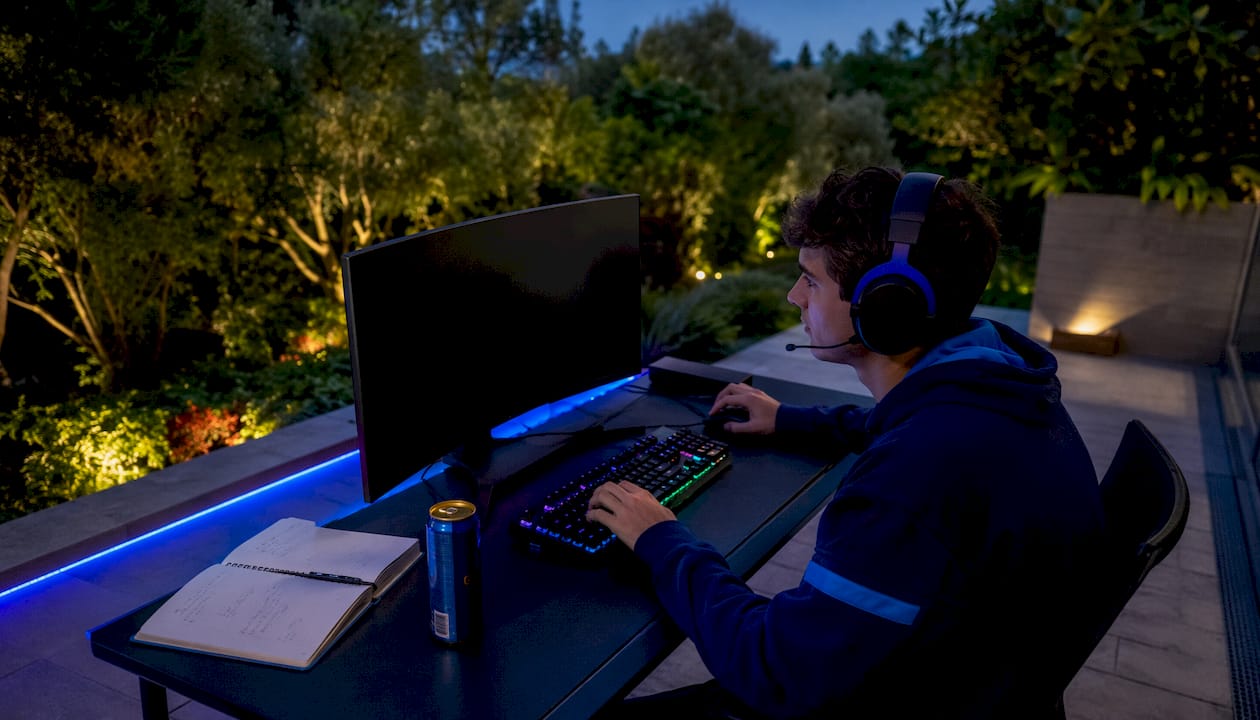
A VPN can effectively block most player-targeted DDoS attacks by hiding your real IP address. That protection is real and practical for the vast majority of gamers. What it cannot do is stop large-scale attacks against game publisher servers. If the game’s own infrastructure goes down, server-side outages affect every player regardless of VPN use. For individual-level threats, though, a VPN with AES-256-GCM encryption and solid server infrastructure is the most accessible line of defense available. Veilock is built for exactly that use case.
If you are under attack right now, or want to prevent one, start here:
- Connect to a nearby VPN server before your session starts
- Enable the kill switch so traffic stops if the VPN drops
- Change your VPN server and exit IP the moment you suspect an attack
The core principle: Attackers need your IP to flood your connection. Remove that IP from the equation and most player-directed attacks lose their target entirely.
Table of Contents
- How does a VPN actually stop DDoS attacks on gamers?
- What types of DDoS attacks do gamers actually face?
- Which VPN features matter most for gaming DDoS defense?
- How to configure your VPN for gaming and respond to an active attack
- When a consumer VPN is not enough
- Why Veilock works well for gamers who also need censorship bypass
- Questions to ask any VPN provider before you commit
- Key Takeaways
- The gap between what VPNs promise and what actually matters
- Protect your gaming sessions with Veilock
- Useful sources
How does a VPN actually stop DDoS attacks on gamers?
When you connect through a VPN, your real home IP address is replaced by the VPN server’s IP. Any attacker trying to boot you offline sees the server’s IP, not yours. The flood traffic hits the VPN endpoint instead of your router, and a well-resourced provider can absorb that volume without disrupting your session.
The encrypted tunnel between your device and the VPN server adds another layer. Your ISP cannot see your game traffic, and anyone monitoring the connection sees only encrypted data rather than identifiable packets they could use to locate you.
There are real failure modes, though. IP leaks from voice apps, browser WebRTC behavior, or P2P lobby links can expose your actual address even when the VPN is running. A weak VPN endpoint with limited bandwidth can itself be overloaded by attack traffic, turning the protection layer into a bottleneck. And if the game publisher’s own servers are under a volumetric attack, your VPN does nothing to restore that connection.
Provider infrastructure matters as much as the protocol. A VPN running on an underpowered server cluster can be overwhelmed just as easily as your home router.
Pro Tip: Run a WebRTC and DNS leak test at a site like browserleaks.com before your first ranked session. If your real IP appears in either test, fix the leak before you queue.
What types of DDoS attacks do gamers actually face?
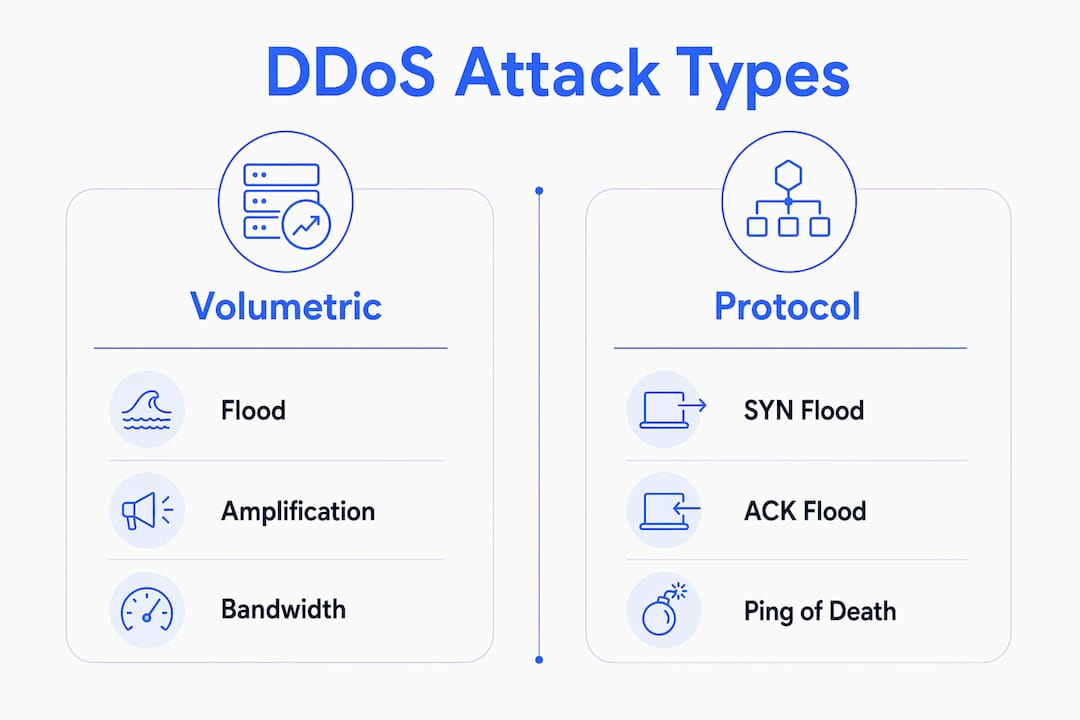
Understanding which attack type is targeting you changes how you respond. The threats most relevant to individual players fall into a few distinct categories:
- Targeted IP booting (UDP/TCP floods): The most common player-to-player attack. An opponent or rival obtains your IP through a voice app or lobby link, then sends a flood of UDP or TCP packets to overwhelm your home connection. This is the attack a VPN directly prevents.
- SYN floods: A variation that exploits the TCP handshake process, sending connection requests faster than your router can process them. Less common in casual gaming but used in more organized harassment.
- Amplification attacks (DNS/NTP reflection): Attackers spoof your IP and send small requests to public servers that reply with much larger responses, multiplying the traffic volume. These are typically aimed at game publishers rather than individual players.
- Botnet volumetric attacks: Large coordinated floods using thousands of compromised devices. These are almost exclusively directed at game server infrastructure, not individual home connections.
Symptoms differ by attack type. A targeted boot usually causes a sudden full network outage or extreme packet loss on your specific connection. Rubber-banding and ping spikes that affect everyone in your lobby point to a server-side issue instead, which no consumer VPN can resolve.
Which VPN features matter most for gaming DDoS defense?
Not every VPN is built to handle gaming traffic under pressure. The features below are the ones worth verifying before you commit to a provider.

| Feature | Why it matters for gamers | What to verify |
|---|---|---|
| Low-latency protocol (WireGuard-class) | Minimizes added ping overhead | Ask for latency benchmarks by region |
| High-capacity server network | Absorbs attack traffic without degrading your session | Look for published server bandwidth/peering details |
| DDoS filtering at the provider edge | Scrubs malicious traffic before it reaches your session | Confirm this is active, not just marketed |
| Obfuscated/stealth servers | Bypasses deep packet inspection in censored regions | Required for China, Iran, Russia, and similar markets |
| Kill switch | Cuts traffic if VPN drops, preventing IP exposure | Test it manually before relying on it |
| Leak protection (DNS, IPv6, WebRTC) | Prevents real IP from leaking through side channels | Run a leak test after connecting |
| Split-tunneling | Routes only game traffic through VPN, reducing overhead | Understand the IP exposure risk if misconfigured |
| Threat blocking (network-level) | Blocks malicious domains and known botnet IPs | Check whether it covers DNS-level blocking |
| Published no-logs policy | Confirms provider cannot hand over your activity data | Look for an independently audited policy |
On well-routed paths, a quality VPN typically adds 5–15 ms of overhead. Most competitive guides recommend keeping total added latency under 20–40 ms for ranked play. Split-tunneling can help by routing only game traffic through the tunnel, but if your voice app bypasses the VPN, your real IP may be visible to other lobby members.
Use your provider’s trial period to test a nearby server cluster under real game conditions. Compare your native ping to your VPN ping on the same server. If the VPN route is within 15 ms, you’re in good shape.
How to configure your VPN for gaming and respond to an active attack
Before your session
- Open your VPN app and select the server cluster closest to your game’s regional server.
- Enable the kill switch in settings before connecting.
- Connect, then run a quick DNS and WebRTC leak check.
- Set your protocol to WireGuard or the provider’s lowest-latency option.
- If you use a voice app like Discord, route it through the VPN or accept that it may expose your IP to other users.
If you suspect an attack mid-session
- Switch to a different VPN server immediately to get a new exit IP.
- If the attack continues, disconnect your router for 10–30 minutes to force your ISP to assign a new home IP when it reconnects.
- Document the time, game platform, and any usernames involved.
- Contact your VPN provider’s support and report the incident.
- Report the attacker to the game platform’s abuse team.
Troubleshooting high ping after connecting
Test your native route first, then your VPN route, on the same game server. If the VPN adds more than 20 ms, try a different nearby cluster. Switching from OpenVPN to WireGuard typically cuts overhead noticeably. If ping is still high, the server cluster may be congested — try a different city in the same region.
Keep game traffic tunneled through the VPN even when your ping is slightly higher than native. The latency cost of a 10 ms increase is far smaller than the disruption of a successful boot.
When a consumer VPN is not enough
A VPN handles player-targeted attacks well. It does not handle everything.
| Scenario | VPN sufficient? | What to do instead |
|---|---|---|
| Rival boots your home IP during a match | Yes | Switch VPN server, get new exit IP |
| Streamer targeted repeatedly by organized group | Partial | Request ISP dynamic IP; contact platform |
| Tournament match disrupted by volumetric attack | No | Notify organizers; request scrubbing or rerouting |
| Game publisher servers under large-scale attack | No | Wait for publisher mitigation; VPN cannot help |
| VPN endpoint itself overloaded | No | Switch to a different provider server cluster |
If you are a streamer, a professional player, or a tournament participant facing repeated high-volume attacks, escalate beyond a consumer VPN. Contact your ISP and ask specifically about protected routing or temporary IP reassignment. Tournament organizers can request scrubbing services or protected server routing from their hosting provider. Infrastructure-level DDoS scrubbing, such as what dedicated gaming server hosts offer at the network edge, operates at a scale that consumer VPN endpoints cannot match.
Why Veilock works well for gamers who also need censorship bypass
Veilock addresses the two problems most gaming VPN guides treat separately: DDoS protection and censorship bypass. For gamers in restricted regions, those problems are inseparable.
- AES-256-GCM encryption protects your tunnel from interception and makes your traffic look like ordinary HTTPS to deep packet inspection systems.
- Vortex threat blocking filters malicious domains and known botnet IPs at the network level, adding a layer of protection before traffic even reaches your device.
- Obfuscated servers disguise VPN traffic so it passes through firewalls in countries like China, Iran, and Russia without triggering blocks. Learn more about bypassing censorship with Veilock’s stealth server network.
- Kill switch and leak protection (DNS, IPv6, WebRTC) prevent your real IP from surfacing if the connection drops.
- Published no-logs policy means no record is retained of your sessions, game activity, or connection timestamps.
- Gaming-optimized servers are tuned for low latency, with high-capacity uplinks designed to absorb attack traffic rather than buckle under it.
Plans start at an affordable monthly rate. The full feature set includes multi-device support and step-by-step privacy guides, so you are not left to figure out configuration on your own.
Questions to ask any VPN provider before you commit
Use this list when evaluating a VPN for gaming DDoS defense:
- Do you provide DDoS filtering at your network edge, or does attack traffic reach my session before being dropped?
- What protocols do you support, and what is the typical latency overhead for my region?
- Do you offer obfuscated or stealth servers, and which countries are they optimized for?
- What does your kill switch do when the VPN connection drops — does it block all traffic or just game traffic?
- Do you publish a no-logs policy, and has it been independently audited?
- Can I change my exit IP mid-session without fully disconnecting?
- What is the simultaneous device limit, and do you support router-level installation?
- Can you provide latency benchmarks for server clusters near my region?
Key Takeaways
A VPN with strong infrastructure and leak protection is the most practical first line of defense against player-targeted DDoS attacks — and Veilock combines that protection with censorship bypass for gamers in restricted regions.
| Point | Details |
|---|---|
| VPN scope | A VPN stops player-targeted IP attacks; it cannot protect against publisher-side volumetric outages. |
| Latency overhead | Quality VPNs add roughly 5–15 ms on well-routed paths; keep total overhead under 40 ms for competitive play. |
| Leak hygiene | Test for WebRTC and DNS leaks before every session — voice apps are the most common exposure point. |
| Escalation threshold | Repeated high-volume attacks or tournament disruptions require ISP or infrastructure-level scrubbing, not just a VPN. |
| Veilock | Covers gaming DDoS defense and censorship bypass together, with AES-256-GCM encryption, Vortex threat blocking, and obfuscated servers starting at $4.46/month. |
Bottom line: Connect to a nearby VPN server, enable the kill switch, verify no leaks, and have a server-switch plan ready. Those four steps eliminate the most common attack vector individual gamers face.
The gap between what VPNs promise and what actually matters
Most gaming VPN guides focus on speed benchmarks and server counts. Those numbers matter, but they are not what determines whether you stay online during an attack. What actually matters is the quality of the provider’s edge infrastructure and whether they actively filter attack traffic before it degrades your session.
A VPN with thousands of servers but no DDoS filtering at the edge is just a relay. Attack traffic still hits the endpoint and can still overwhelm it. The questions in the vendor checklist above are designed to surface exactly that distinction. A provider that cannot answer “yes, we filter at the edge” is not offering meaningful DDoS protection, regardless of how fast their benchmark speeds look.
The censorship-bypass angle is equally underappreciated. Gamers in restricted regions face a compounded problem: they need obfuscated traffic to reach game servers at all, and they need DDoS protection once they are connected. Most VPN providers optimize for one or the other. Veilock’s engineering addresses both, which is why it is the recommendation here rather than a generic speed-first option.
Realistic expectations matter too. No consumer VPN prevents a publisher-side outage. When a major game network goes down, the right response is to wait, not to troubleshoot your VPN settings. Knowing that boundary saves time and frustration.
Protect your gaming sessions with Veilock
If the configuration steps and vendor checklist above describe what you have been looking for, Veilock is built to deliver it without requiring a technical background to set up.
Getting started takes four steps:
- Create your account at veilock.com.
- Install the app on your gaming device or configure it at the router level for whole-network coverage.
- Connect to a nearby gaming-optimized server before your session starts.
- Run a leak check, confirm the kill switch is active, and play.
The global server network is built for the latency and capacity demands of competitive gaming, with obfuscated servers for players in censored regions and Vortex threat blocking active by default. Plans start at $4.46/month with no long-term commitment required to get started.
Useful sources
| Source | What it covers | Date |
|---|---|---|
| Imperva: Game Over — How to Stop DDoS Attacks on Online Gamers | Remediation steps, router restart, IP cycling, and VPN use for gamers | Not dated |
| Imperva: Protecting Gamers from DoS and DDoS Attacks | Attack mechanics, botnet behavior, and practical home-network defense | Not dated |
| GamingDeputy: Why Gamers Are Prime Targets for DDoS Attacks | IP-masking mechanics and provider infrastructure quality | Not dated |
| VPN.blue: DDoS Protection for Gamers | IP leak failure modes and targeted vs. volumetric attack distinctions | Not dated |
| Security.org: Best Gaming VPNs | Latency benchmarks and protocol selection for competitive gaming | — |
| GamingPCGuru: VPN latency overhead testing | Real-world latency overhead figures (5–15 ms on well-routed paths) | — |
| FindCheapVPNs: Best VPNs for Gaming | Split-tunneling trade-offs and privacy vs. performance balance | Not dated |
| Can I Use a VPN for Gaming? | Gaming performance and configuration guidance | — |
| Types of DDoS Attacks | Technical breakdown of DDoS types relevant to individual gamers | — |
Related reading on Veilock
About the author
Veilock Team · Veilock