VPN Ad Blocker for Censorship Bypass: What You Need to Know
By Veilock Team · Veilock · Published July 29, 2026 · Updated August 28, 2026 · 11 min read

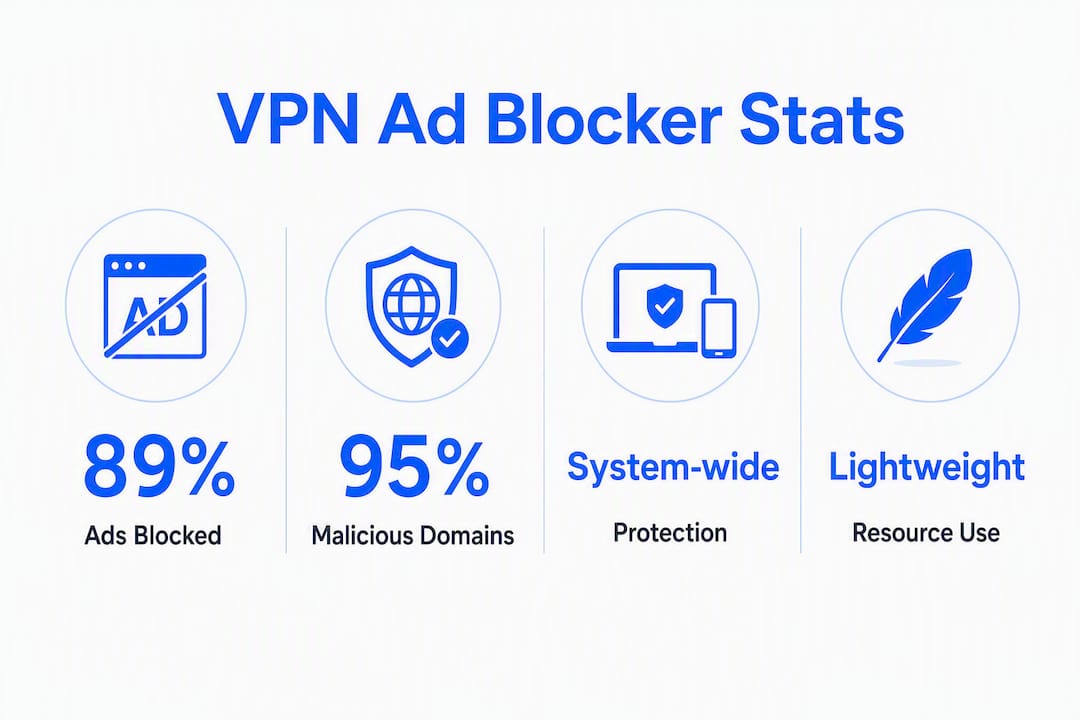
A VPN ad blocker, more precisely called a network-level threat blocker, does two things: it reduces ads and, more critically, blocks malicious domains before they ever reach your device. For privacy-first users navigating censored networks, that second function matters far more than cosmetic ad removal. Independent testing found that top-tier VPN-integrated ad blockers block roughly 89%–95% of tested ads and trackers, though results shift depending on whether your VPN tunnel is active.
The practical recommendation for censorship-bypass users is clear: choose a no-logs VPN with DNS-level threat blocking, obfuscation, and a kill switch. Veilock is built for exactly that combination.
- Network-level blocking stops malicious and tracking domains at the DNS resolver, before any payload loads.
- Effectiveness ranges from 89%–95% for top-tier VPN-integrated ad blockers when the tunnel is connected.
- Obfuscation plus threat blocking is the right pairing for restrictive environments, not a browser extension alone.
- Veilock’s Vortex threat blocking, AES-256-GCM encryption, and obfuscated connections address all three needs in one service.
The core principle: If you are in a censored region, never rely solely on a browser extension for threat protection. A network-level blocker running inside an encrypted, obfuscated tunnel is far harder for deep packet inspection systems to detect and disrupt.
Table of Contents
- How does a VPN ad blocker actually work?
- What do real-world tests reveal about effectiveness and limits?
- VPN blocker versus browser extension: which one should you use?
- How to evaluate a VPN when ad and threat blocking matter
- Why Veilock fits privacy-first, censorship-bypass users
- How to enable and verify your VPN threat blocker
- Key Takeaways
- Safety and undetectability come before perfect ad removal
- Veilock’s Vortex gives you threat blocking built for bypass
- Useful sources and further reading
How does a VPN ad blocker actually work?
Most VPN ad blockers use one of two methods: DNS-based filtering or in-tunnel packet inspection. Understanding the difference tells you a lot about what to expect from any given service.

DNS filtering works at the resolver level. When your device tries to load a page, it first asks a DNS server to translate the domain name into an IP address. A DNS-based blocker intercepts that query and returns nothing for known ad or malware domains, so the request dies before any content loads. This approach is lightweight and works across every app on your device simultaneously.
In-tunnel filtering goes a step further. The VPN app inspects traffic inside the encrypted tunnel, scanning for malicious patterns or flagged domains even after the DNS stage. Some services extend this to download scanning, catching threats that slip past DNS lists. Norton’s breakdown of DNS-based versus extension-based blocking confirms that DNS filters block domain requests before content loads, while browser extensions can remove individual page elements DNS filters cannot reach.
A few important operational notes:
- Where filtering runs matters for censorship resistance. Filtering at the device app level is harder to detect than router-level filtering, which can expose your configuration to network monitoring.
- DoH/DoT interactions: VPNs typically override or route encrypted DNS (DNS-over-HTTPS and DNS-over-TLS) through their own resolvers to maintain filtering. Without that override, a site using DoH could bypass your VPN’s blocklist entirely.
- Split or background protection lets some apps keep threat blocking active even when the VPN tunnel is off, which can be useful in sensitive environments where you need protection without changing your visible routing pattern.
Check whether your VPN’s threat protection works independently of the server connection. Some advanced implementations can protect your traffic even when you are not connected to a VPN server, which adds a safety layer during connection drops.
What do real-world tests reveal about effectiveness and limits?
Top-tier VPN ad blockers can block 89%–95% of third-party ads and known malicious domains according to independent testing (Top10VPN, 2022), though no blocker is perfect. The same tests observed some providers dropping to roughly 75% effectiveness when the tunnel was disconnected, recovering to over 90% once reconnected. This gap is why tunnel state is not a minor detail — it is a meaningful variable in your actual protection level.
The most consistent gaps involve first-party ads. When an ad is served from the same domain as the content itself (certain YouTube pre-rolls, Twitch mid-stream ads), a DNS filter cannot block it without also blocking the content. 01net’s comparative testing confirms that VPN ad blockers struggle specifically with in-stream and first-party ad delivery, regardless of how strong their third-party blocking is.
Other limits worth knowing:
- In-app video ads on mobile often use the same domain as the app itself.
- Dynamic ad injection techniques can rotate domains faster than blocklists update.
- Platform variation is real: desktop implementations tend to outperform mobile ones on the same service.
Pro Tip: Run an ad-block test site (such as d3ward.github.io/toolz/adblock) while connected to your VPN and again while disconnected. The difference in scores tells you exactly how much your VPN’s threat blocking is contributing beyond your baseline.
VPN blocker versus browser extension: which one should you use?
VPN-level blockers and browser extensions solve different problems. A VPN blocker gives you system-wide, app-agnostic protection across every connection on your device. A browser extension gives you fine-grained, per-site element removal inside one browser.
For censorship-bypass users, the VPN blocker is the foundation. Obfuscated traffic combined with DNS filtering is far less detectable than a browser extension running on top of an unencrypted or weakly encrypted connection. Extensions also do nothing for threats arriving through non-browser apps.
Key tradeoffs to weigh:
- Granularity: Extensions can whitelist individual ad slots or cosmetically hide page elements; VPN blockers cannot.
- System-wide coverage: VPN blockers protect every app; extensions protect only the browser they are installed in.
- Site breakage: Aggressive network-level filtering occasionally breaks sites that share domains between ad infrastructure and functional content. Extensions handle this more gracefully with per-site toggles.
- Streaming compatibility: Some streaming platforms detect and block VPN connections regardless of ad blocking; the ad blocker itself rarely causes that issue.
- Free VPN risk: Review sources consistently flag that free VPNs are often monetized by injecting ads, making them a poor foundation for any privacy or blocking goal.
Network-level DNS filtering is also lighter on device resources than complex extension scripts, which matters on low-power devices or in mobile-heavy restricted environments.
Worth knowing: Use your VPN’s threat blocking for system-wide protection and add a lightweight browser extension only for cosmetic element removal on specific sites. Do not run two aggressive blockers simultaneously — conflicting DNS rules can cause unexpected breakage.
How to evaluate a VPN when ad and threat blocking matter
Prioritize these criteria in order: no-logs policy, DNS filtering with customization, obfuscation/stealth modes, AES-256-GCM encryption, and a reliable kill switch. Everything else is secondary.
Checklist for evaluation:
- Blocking method: DNS-based or in-tunnel? DNS is lighter; in-tunnel catches more.
- Tunnel-independent protection: Can threat blocking run without an active server connection?
- Custom blocklists and whitelist controls: Can you add domains or exclude false positives?
- Platform and router support: Confirm coverage on every device you use, including mobile. Platform availability varies significantly across reviewed services.
- Transparency and audits: Look for published privacy policies and third-party audits of the no-logs claim.
- Blocked-domain telemetry: Does the provider log which domains you tried to reach? That data is sensitive.
- Performance impact: Threat blocking should add minimal latency; test on a nearby server first.
- Multi-device coverage: A single subscription covering all your devices reduces gaps.
Also check whether the service is open about its blocklist sources. Blokada’s open-source approach for mobile DNS-based blocking illustrates what transparency looks like at the project level, even if you choose a commercial service.
Test with both a nearby server and a server in or near a censorship-affected region. Ad blocking and bypass functionality can behave differently depending on server location and the routing path used.
Why Veilock fits privacy-first, censorship-bypass users
Veilock combines a strict no-logs policy, AES-256-GCM encryption, obfuscated connections, and Vortex threat blocking to deliver system-wide protection suited for censorship-bypass environments. That combination is not common. Most services offer one or two of those features; Veilock is built around all of them together.
Here is how each feature maps to your actual needs:
- Vortex threat blocking: DNS-level filtering that blocks malicious and tracking domains across all apps, not just your browser.
- DNS-over-HTTPS support: Encrypts your DNS queries so ISPs and network monitors cannot see which domains you are resolving.
- Obfuscated connections: Traffic looks like regular HTTPS browsing, which helps avoid detection by deep packet inspection systems used in restrictive countries.
- Kill switch: Cuts your internet connection if the VPN drops, preventing accidental exposure of your real IP or unencrypted traffic.
- Multi-device support: One subscription covers your laptop, phone, and any other device you use in the field.
For activists, expatriates, and remote workers operating in or traveling through high-risk markets, these are not optional extras. They are the baseline.
Enable Vortex and the kill switch before connecting to an obfuscated server. That sequence means your threat protection is active from the first packet, not just after the tunnel establishes.
Plans start at $4.46/month, with Vortex threat blocking on the higher tiers. Full feature details and bypass-censorship capabilities are listed on the features page.
If you are evaluating this for a team or organization, the business use cases page covers multi-device deployment and guidance for staff operating in restricted regions.
How to enable and verify your VPN threat blocker
Enabling a VPN ad blocker is typically a few toggles. Here is the sequence that works reliably:
- Download and install the app on your device (desktop or mobile).
- Open Settings and enable Vortex threat blocking before connecting to any server.
- Enable the kill switch in the security settings so your connection drops safely if the VPN disconnects.
- Select an obfuscated server appropriate for your region. For censorship-bypass use, the obfuscated server options are listed on the bypass-censorship page.
- Connect and run an ad-block test (d3ward.github.io/toolz/adblock or a similar checker) to confirm blocking is active.
- Visit a site that previously showed ads and verify the difference.
A few Veilock-specific notes:
- The Vortex toggle is in the app’s Privacy or Security panel, depending on your platform.
- For device-specific setup steps, the features page has platform guides.
- DNS-over-HTTPS is enabled by default when Vortex is active, so your DNS queries are encrypted automatically.
After setup, test on a nearby server first to confirm ad blocking works, then switch to a censorship-region server to confirm bypass functionality. Both tests together tell you the full picture.
Key Takeaways
A VPN with integrated threat blocking provides system-wide malicious-domain protection that browser extensions alone cannot match, especially in censored or monitored networks.
| Point | Details |
|---|---|
| Effectiveness range | Top-tier VPN-integrated ad blockers block roughly 89%–95% of tested ads and trackers when the VPN tunnel is active. |
| Primary security value | Threat blocking stops malicious and tracking domains across all apps, not just your browser. |
| Key selection criteria | Prioritize no-logs policy, DNS filtering, obfuscation, AES-256-GCM encryption, and a kill switch. |
| Know the limits | First-party and in-stream ads (YouTube, Twitch) typically bypass DNS-level filters. |
| Veilock | Vortex threat blocking, obfuscated connections and a no-logs policy make it a strong fit for censorship-bypass users. |
Safety and undetectability come before perfect ad removal
For users in censored or monitored environments, the priority order should be: stay undetected first, stay protected second, and remove ads third. Most coverage of VPN ad blockers focuses on ad removal rates, which is the wrong metric for someone operating under active network surveillance.
Veilock’s design reflects the right tradeoff. Obfuscated traffic that looks like standard HTTPS browsing, combined with a no-logs policy and DNS-level threat blocking, reduces both your attack surface and your visibility to network monitors. The Vortex feature is not primarily about cleaner web pages. It is about preventing your device from ever contacting a malicious or tracking domain, which matters enormously when you cannot afford to leave traces. Readers in censored regions should treat threat blocking as a safety tool, not a convenience feature.
Veilock’s Vortex gives you threat blocking built for bypass
If you need system-wide threat blocking combined with reliable censorship bypass, Veilock’s Vortex-enabled plans are built for that use case. You get AES-256-GCM encryption, obfuscated connections that pass deep packet inspection, DNS-over-HTTPS, and a strict no-logs policy, all in one subscription starting at $4.46/month.
No separate ad-blocker software to install, no browser extension conflicts, and no logs of your activity. Check the full features page to compare plans and see which configuration fits your devices and threat model. If censorship bypass is your primary need, the bypass-censorship page walks through the obfuscation options and server types available for your region.
Useful sources and further reading
Independent tests, technical references, and project documentation to help you verify claims and run your own checks:
- Top10VPN: Do VPNs Actually Block Ads? — Manual and automated ad-block tests across major VPN services, with tunnel-on versus tunnel-off comparisons.
- Cyberinsider: Best VPNs with Ad Blocking Built In — Hands-on roundup covering feature availability, platform support, and tunnel-independent protection.
- 01net: Best VPNs With Ad Blocker (Tested) — Comparative testing with specific attention to in-stream and first-party ad blocking limits.
- Norton: Do VPNs Block Ads? — Clear explanation of DNS-based versus browser-extension blocking and what VPNs do not cover by default.
- Blokada project — Open-source mobile ad blocker with a WireGuard-based VPN mode; useful reference for understanding DNS-level blocking transparency.
- Jewish Legal News: censorship coverage — Reporting on real-world censorship incidents and legal contexts where bypass tools are used.
- Veilock features page — Full overview of Vortex threat blocking, encryption standards, and platform-specific setup guides.
Key verification step: Run an ad-block test at d3ward.github.io/toolz/adblock while connected to your VPN and again while disconnected. A meaningful score difference confirms your VPN’s threat blocking is contributing real protection beyond your baseline configuration.
Related reading on Veilock
About the author
Veilock Team · Veilock